Add a New Project
To add a new project, follow these steps:
-
Click the “Add New Project” Button:
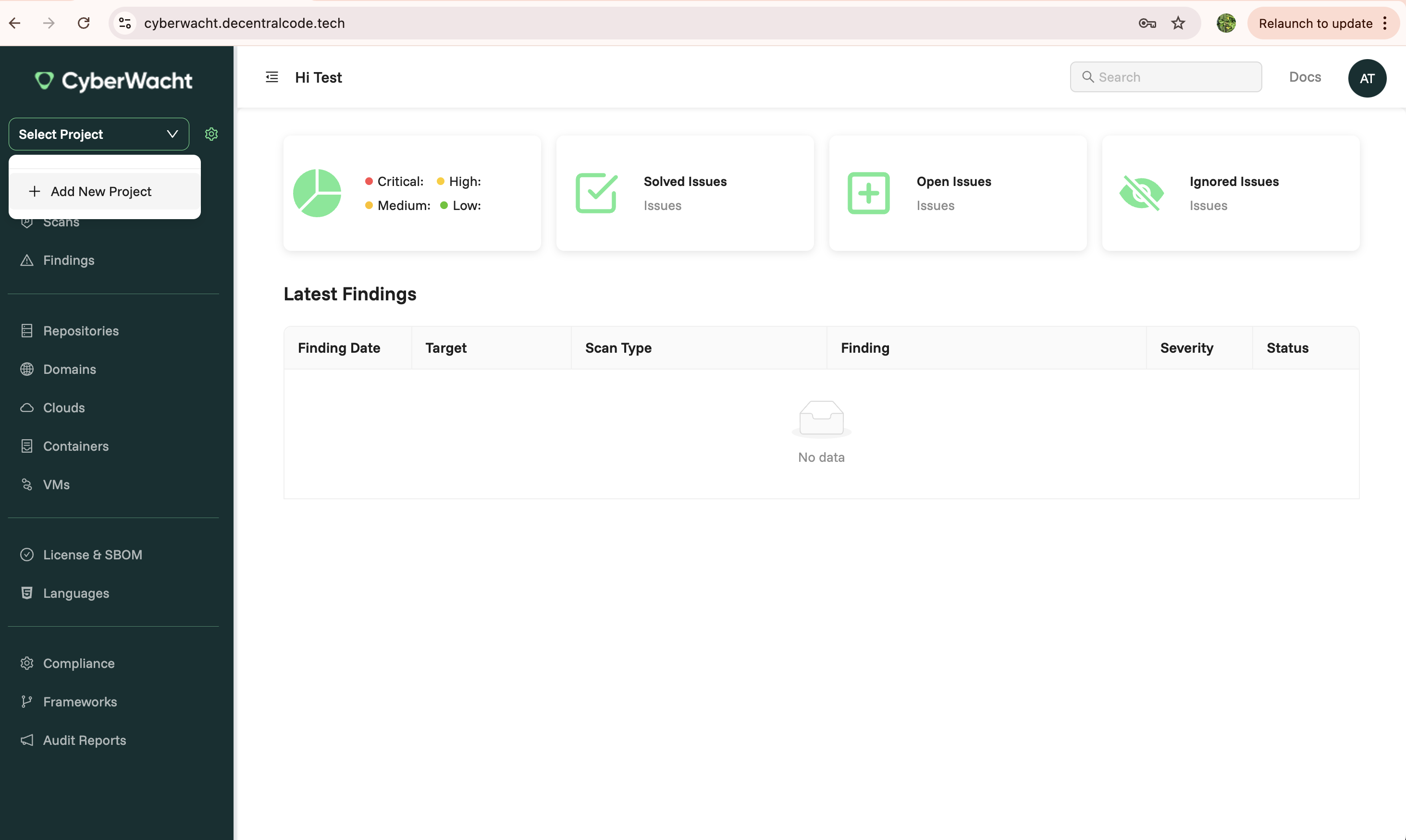
- On the Projects page, click the dropdown in the top left corner.
- Select the “Add New Project” button to initiate the project creation process.
-
Provide Project Details:
-
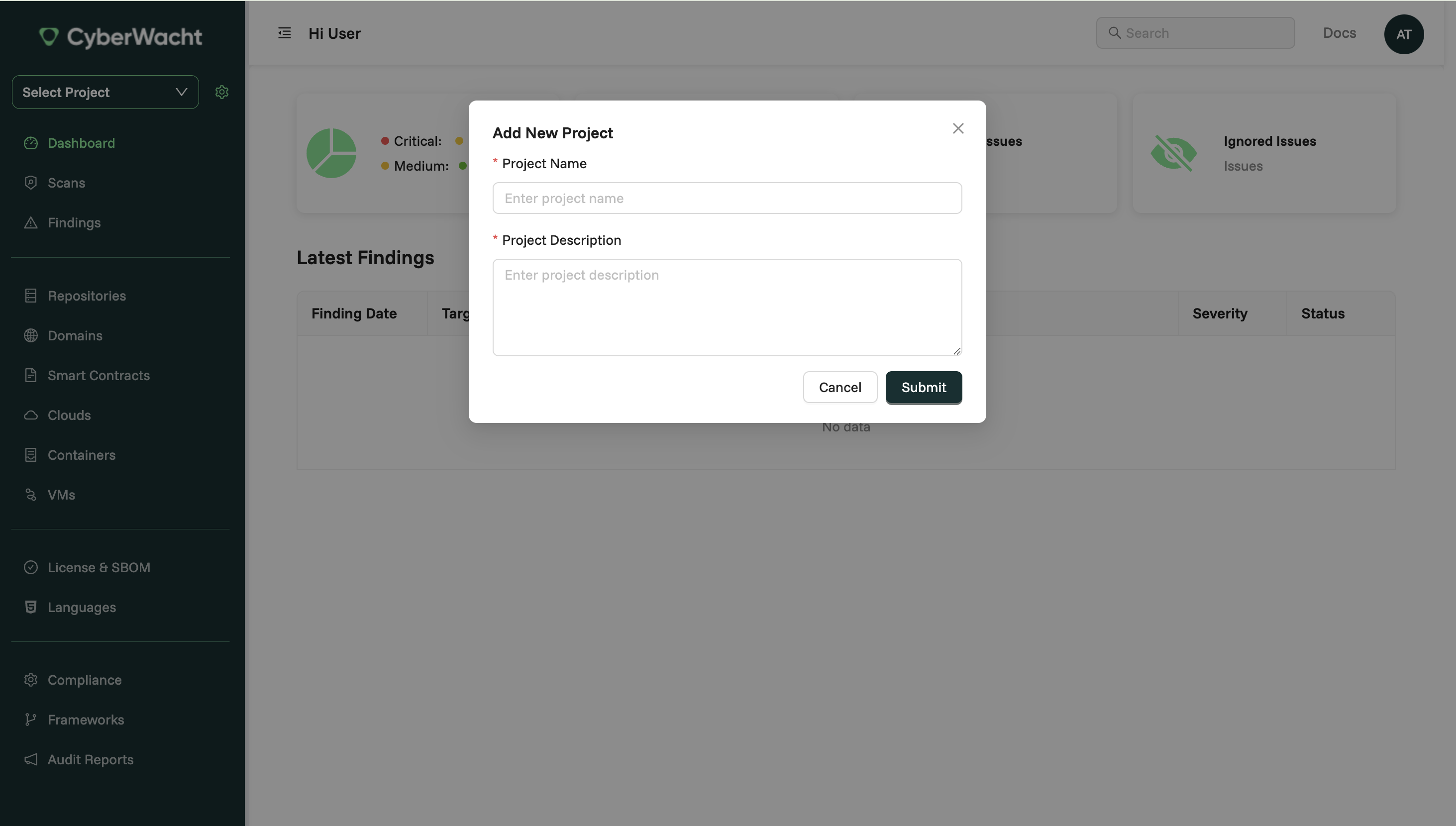
A modal window will appear where you need to provide the following information:
- Project Name: Enter a descriptive name for your project.
- Project Description: Add an optional description to provide context about the project.
-
Step 1
Step 2